
Mileage records
Track work miles, review trips, and keep records inspectable before export.
DoorDash mileage guide
Driving for DoorDash can create mileage records that are easy to miss when orders, waits, and personal driving overlap. This guide explains how to track DoorDash mileage, where DoorDash mileage summaries may fit, why keeping your own mileage log matters, and how GigClaim helps organize delivery miles on your iPhone.
Last reviewed: July 16, 2026
GigClaim is not affiliated with DoorDash. Platform names are used only to identify driver workflows and may be trademarks of their owners.
Track work miles, review trips, and keep records inspectable before export.
Mileage, trip, expense, earnings, and tax-planning records are designed to stay on your phone.
Export records only when you choose.
Inside GigClaim
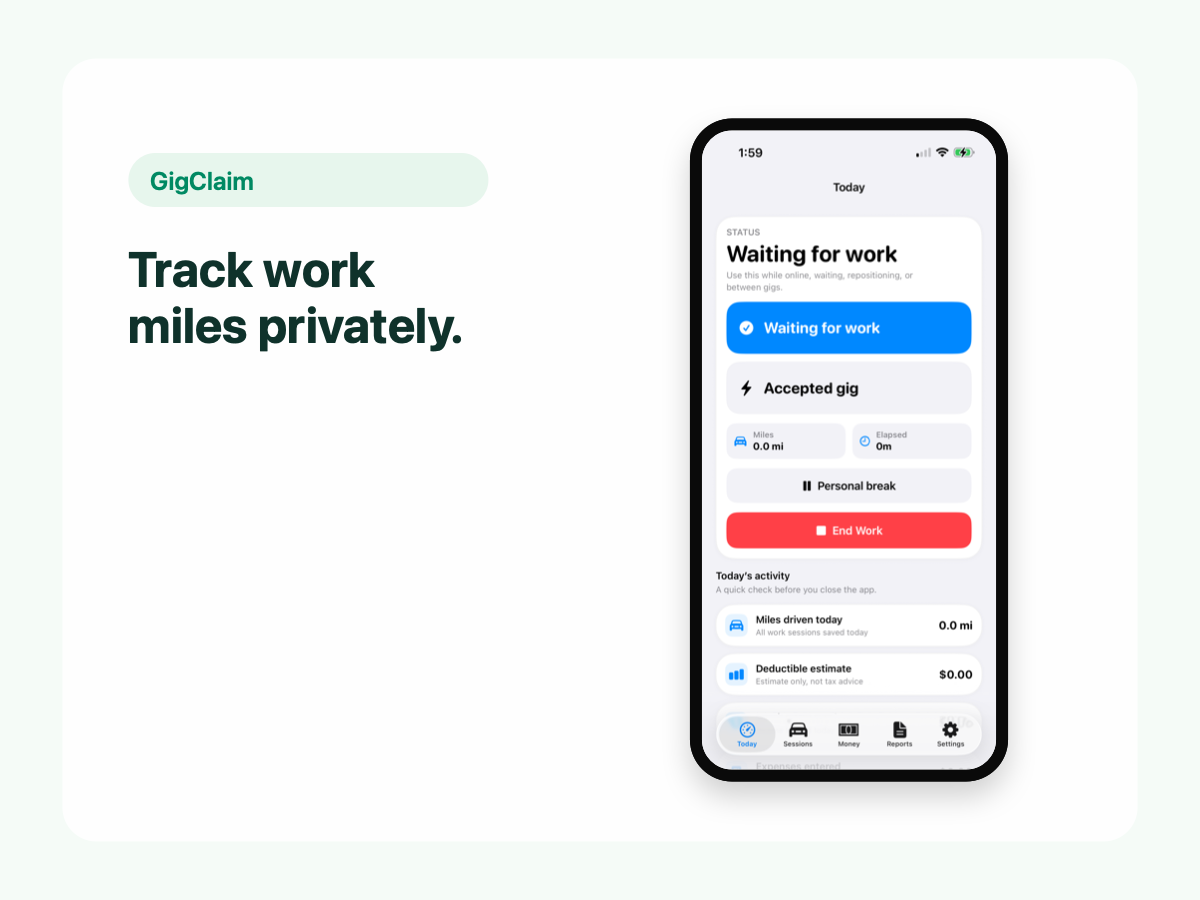
GigClaim is built around reviewable records: track the work session, inspect trips, add missed entries or notes when needed, then export only after the record makes sense.
That workflow is useful for busy delivery and rideshare days where personal errands, weak GPS, parking, tolls, or route changes can make a raw mileage total hard to trust without review.
Quick answer
Driver scenarios
Use these examples as review prompts, not tax conclusions. Your facts still matter.
If you wait near restaurants or reposition after a drop-off, review that gap later. The record should show what happened without turning waiting time into a tax conclusion.
Multiple pickups and drop-offs can make a shift hard to reconstruct. Use notes for unusual routes, long waits, or corrected stops.
If delivery work and personal stops happen in the same area, review those trips separately before relying on totals.
Quick answer
The simplest workflow is to start a mileage tracking session when delivery work begins, keep DoorDash work separate from personal driving, review the trips while the details are fresh, and export records only after they make sense.
GigClaim is built for that workflow on iPhone: start work, review trips, add missed records when needed, log expenses and earnings you choose to track, then export records for your own review or tax-preparation workflow.
Pricing boundary
GigClaim is free to download from the App Store. Starting a new DoorDash work session requires an active Pro subscription or an eligible introductory offer shown by Apple.
Apple determines introductory-offer eligibility and shows the final price, offer terms, and renewal details before purchase. Compare the monthly and annual options before starting a tracking workflow.
DoorDash records
Some drivers look for mileage inside DoorDash because platform summaries, trip details, or earnings records can include mileage-related information. Those records can be useful reference points, but they may not replace a mileage log you reviewed yourself.
If DoorDash provides a mileage estimate or summary in your driver account, compare it with your own records. Keep notes for late starts, missed sessions, corrected distances, and days where you are not sure what happened.
Platform mileage
DoorDash may show some trip, earnings, or mileage-related information, but drivers should still keep their own mileage records. A separate mileage tracker helps you review work sessions, personal driving, missed starts, and notes before relying on totals.
The important distinction is control. A platform summary can support your review, while your own mileage log can show the specific dates, distances, purposes, classifications, and notes you chose to keep.
What to track
A useful DoorDash mileage record should make the work period clear without guessing at tax treatment. Record when you started working, when you stopped, and which trips need review.
Delivery days can include time between orders, pickup-area repositioning, stacked orders, and personal errands. Review classifications before relying on totals.
Missed mileage
If you forgot to start tracking, do not hide the gap. Reconstruct only the records you can support with facts such as dates, delivery periods, route notes, trip details, receipts, or other records you kept.
GigClaim supports missed-trip entry so a driver can add a record that was not captured, then keep it visible for review before export. A missed record should explain what happened instead of pretending the tracking was automatic.
Mileage log example
A DoorDash mileage log does not need to be complicated, but it should be specific enough to review later. Keep the record focused on what happened, when it happened, why the driving was logged, and whether anything still needs review.
For each delivery work session, aim to keep date, start time, stop time, distance, purpose, classification, source, and notes. That makes exported records easier to inspect before tax time.
Estimates
A mileage estimate can help you spot missing records, but it is not the same as a reviewed mileage log. Estimates may not explain first trips, last trips, personal errands, weak GPS, or manual corrections.
Use estimates as a cross-check. Use reviewed mileage records for the dates, distances, classifications, and notes you choose to export.
Expenses
Mileage is only one part of a delivery-driver recordkeeping workflow. Some drivers also track expenses such as parking, tolls, delivery supplies, phone accessories, charging, or other costs they choose to review.
GigClaim lets drivers keep mileage, expenses, earnings, notes, and exports in one local-first workflow. It does not decide whether a specific expense is deductible.
Review
The hard part is not only capturing miles. It is reviewing whether the trip was part of delivery work, commute, personal driving, or something that needs a closer look.
GigClaim supports review-needed records so weak GPS, battery interruptions, or manual corrections can stay visible instead of looking more certain than they are.
Exports
After review, export mileage, trip, expense, earnings, and note records when you choose. Exports can help you organize information for your own review or a tax-preparation workflow.
GigClaim provides recordkeeping and planning estimates only. Talk to a qualified tax professional about tax decisions.
Review checklist
Check whether the first and last trips around the delivery session are work, commute, personal, or still need review.
Look for long gaps, repositioning, stacked orders, unusual waits, or route corrections that need a note.
Review missed-trip entries, corrected distances, and notes before using the export in a tax-preparation workflow.
Common mistakes
Late starts can leave a gap at the beginning of the work session. Add a missed record only when you can describe it honestly.
The final movement after a delivery day often needs review. Keep it marked for review if you are not sure how it should be classified.
If battery saver, signal quality, or app interruptions affected tracking, keep the issue visible with review status or notes.
A quick weekly review is more reliable than trying to reconstruct restaurant pickups and drop-offs months later.
Boundaries
FAQ
GigClaim is free to download. Starting a new DoorDash work session requires an active Pro subscription or an eligible introductory offer shown by Apple. Apple shows final eligibility and terms before purchase.
Check any available DoorDash trip, earnings, or mileage-related summaries as reference material, then compare them with your own mileage log. A separate tracker helps you keep start times, stop times, distances, classifications, and notes under your control.
DoorDash may show some trip or earnings-related mileage information, but drivers should still keep their own mileage log for tax records. A separate tracker helps reduce missed miles and keeps the record easier to review.
DoorDash may provide mileage-related information or summaries for some driver workflows, but drivers should still keep their own records. Platform summaries can support your review, while your own log can document the dates, distances, purposes, and notes you chose to keep.
You may be able to reconstruct some records from trip details, earnings records, calendars, receipts, or other facts, but only add missed mileage you can explain. GigClaim supports missed-trip entry so reconstructed records can stay visible for review before export.
Track business miles connected to deliveries, including miles driven while accepting, picking up, and completing orders. Personal driving should stay separate from delivery mileage.
The best fit depends on how often you drive and how much review you need. GigClaim is free to download, but starting a new work session requires Pro or an eligible introductory offer shown by Apple.
Yes. GigClaim is built to help gig drivers organize mileage records for tax time, including DoorDash delivery miles.