
Mileage records
Track work miles, review trips, and keep records inspectable before export.
Uber Eats mileage guide
Uber Eats delivery miles can get missed when pickups, stacked orders, waiting time, customer drop-offs, and repositioning happen quickly. This guide shows Uber Eats drivers what to log, why a separate mileage record matters, and how GigClaim helps keep delivery miles organized for tax records.
Last reviewed: July 16, 2026
GigClaim is not affiliated with Uber Eats. Platform names are used only to identify driver workflows and may be trademarks of their owners.
Track work miles, review trips, and keep records inspectable before export.
Mileage, trip, expense, earnings, and tax-planning records are designed to stay on your phone.
Export records only when you choose.
Inside GigClaim
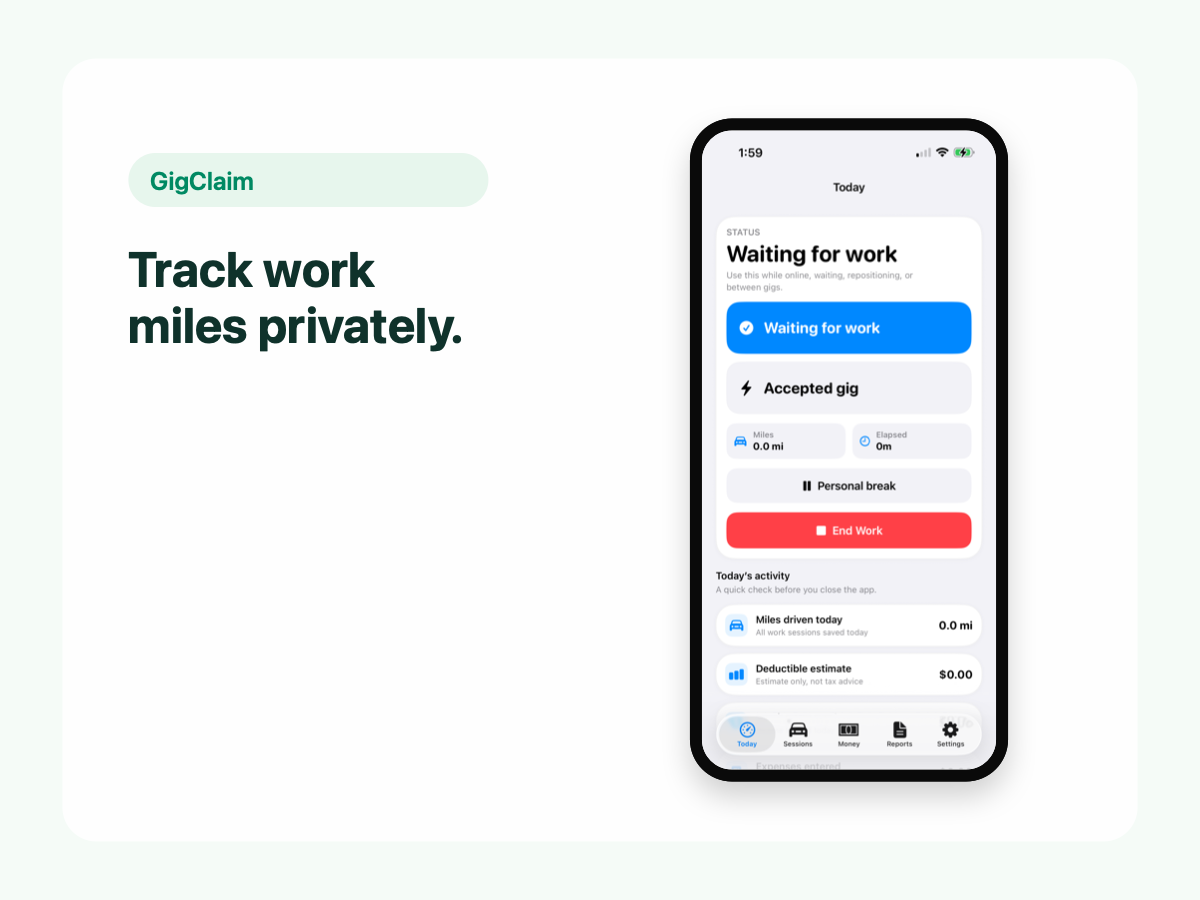
GigClaim is built around reviewable records: track the work session, inspect trips, add missed entries or notes when needed, then export only after the record makes sense.
That workflow is useful for busy delivery and rideshare days where personal errands, weak GPS, parking, tolls, or route changes can make a raw mileage total hard to trust without review.
Quick answer
Driver scenarios
Use these examples as review prompts, not tax conclusions. Your facts still matter.
When one route includes multiple pickups or drop-offs, the record may need a note so the path makes sense later.
Waiting and repositioning can blur a delivery day. Review the session instead of assuming every gap has the same purpose.
If you also drive rideshare or another delivery app, mark records so the workday can be reviewed as one multi-app workflow.
Pricing boundary
GigClaim is free to download from the App Store. Starting a new Uber Eats work session requires an active Pro subscription or an eligible introductory offer shown by Apple.
Apple determines introductory-offer eligibility and shows the final price, offer terms, and renewal details before purchase.
Workflow
Delivery app work can move quickly. Start tracking when your delivery work starts, then review the full session later so the record makes sense as a workday.
Trips around restaurant pickups, drop-offs, waiting areas, and repositioning should be checked before export, especially when personal driving happens nearby.
Money records
Mileage records are easier to understand when you can review them beside earnings and driver expenses you choose to log.
GigClaim can help organize those records locally on your phone, then export them when you choose.
Tax boundary
A mileage tracker can help you organize a record. It cannot decide tax treatment for you.
Use exports for your own review or to discuss with a qualified tax professional. GigClaim does not file taxes.
Review checklist
Confirm the work session start, stop, long waits, stacked orders, and any personal stops near deliveries.
Compare mileage with earnings, tips, parking, tolls, or supplies you chose to log for the same week.
Add brief notes for corrected routes, missed trips, or weak GPS before creating an export.
Common mistakes
Order history may not explain every drive. Review the full work session, including repositioning, waits, and missed starts.
Parking, tolls, bags, and supplies can be easy to forget. Log only expenses you choose to track and keep notes factual.
Do not send platform passwords or private account details through support. GigClaim focuses on driver-created records.
Planning estimates are for organization. Review tax treatment with a qualified professional.
Boundaries
FAQ
GigClaim is free to download. Starting a new Uber Eats work session requires an active Pro subscription or an eligible introductory offer shown by Apple. Apple shows final eligibility and terms before purchase.
Uber Eats may show trip details, but drivers should still keep their own mileage log for tax records. A separate tracker helps capture delivery-related driving in one place.
Track business miles connected to delivery work, including driving to pickups, completing deliveries, and repositioning for active delivery work when appropriate. Keep personal miles separate.
Yes. GigClaim helps Uber Eats drivers keep mileage records organized for tax time.